Review THORChain dApp requests
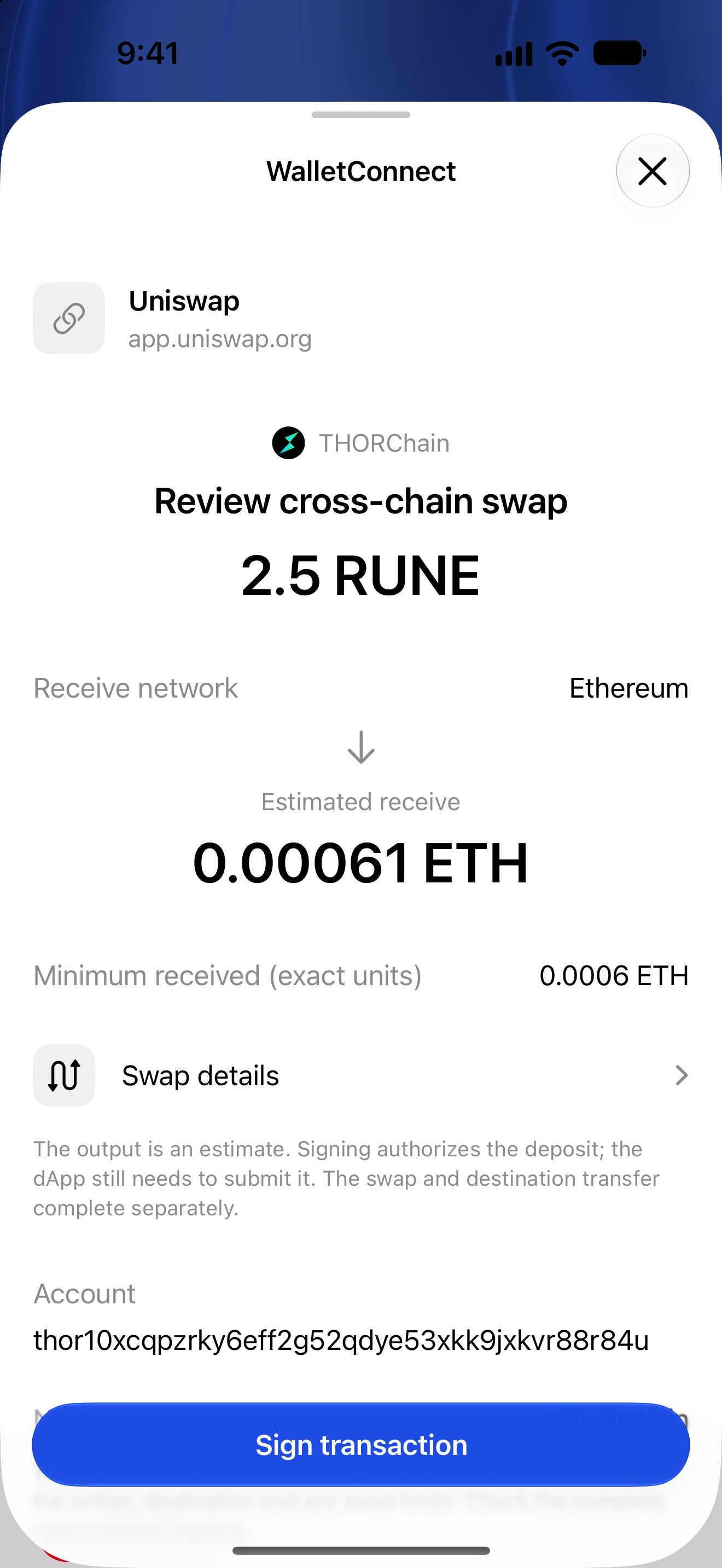
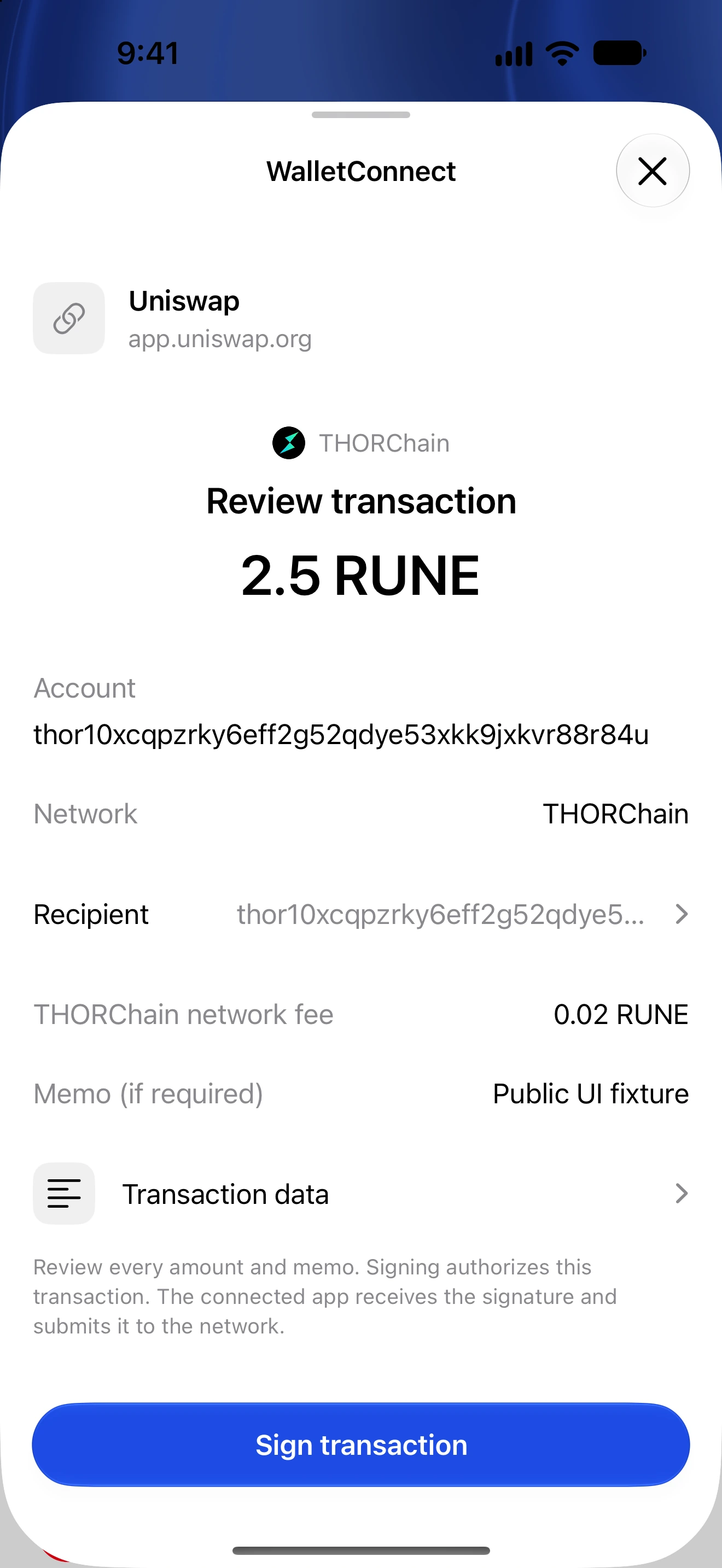
Check RUNE transfers, deposits and readable cross-chain swap instructions separately.
Oath 4.0.3
Where to find it
THORChain dApp → WalletConnect → Oath
How to do it
- Connect the intended THORChain account through the dApp’s WalletConnect flow.
- Review the website and approved network before connecting.
- For a transaction request, inspect the input asset, amount, destination and memo/deposit instructions.
- For a recognized cross-chain swap, compare the receive asset and destination chain as well as the input chain.
- Review the fee and any output bounds or deadline shown, then authenticate if you want to proceed.
- Follow the transaction result and the dApp’s swap progress. A source-chain confirmation alone does not establish delivery on a different destination chain.
THORChain transactions can use memos to describe actions. A memo is operational data, not just a label for your records.
A cross-chain destination must be valid on that destination network. Do not substitute a same-looking address from another chain.
Unknown or unsupported instructions may not provide a complete readable preview. Verify them independently or reject them.
Follow along in Oath
Real app screens with illustrative demo data. No live funds were sent, swapped or revoked for these examples. Never send funds to an example address. Tap an image to inspect it at full size.