Read human-readable transaction data
Use the decoded details to understand a contract request while keeping the exact technical payload available.
Oath 4.0.3
dApp approval → Transaction data
How to do it
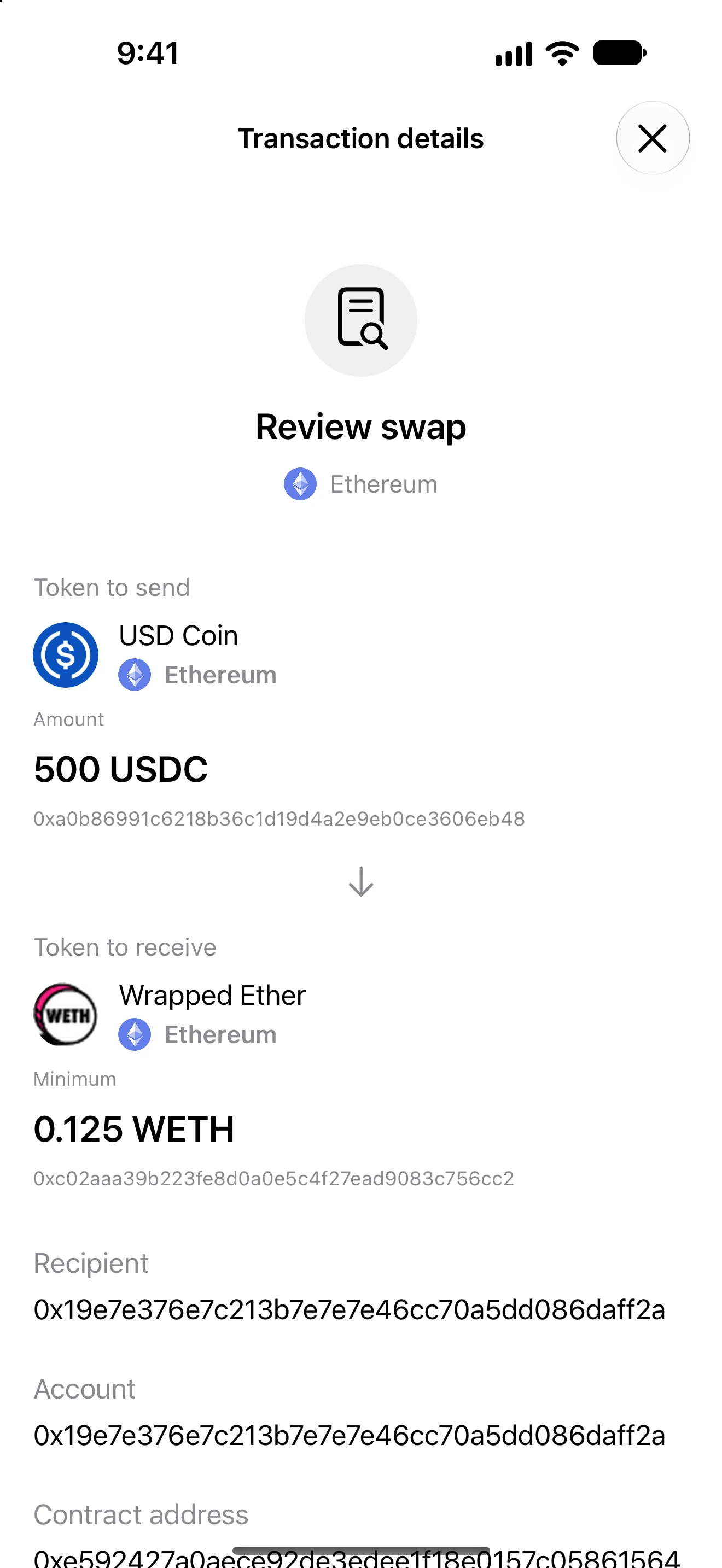
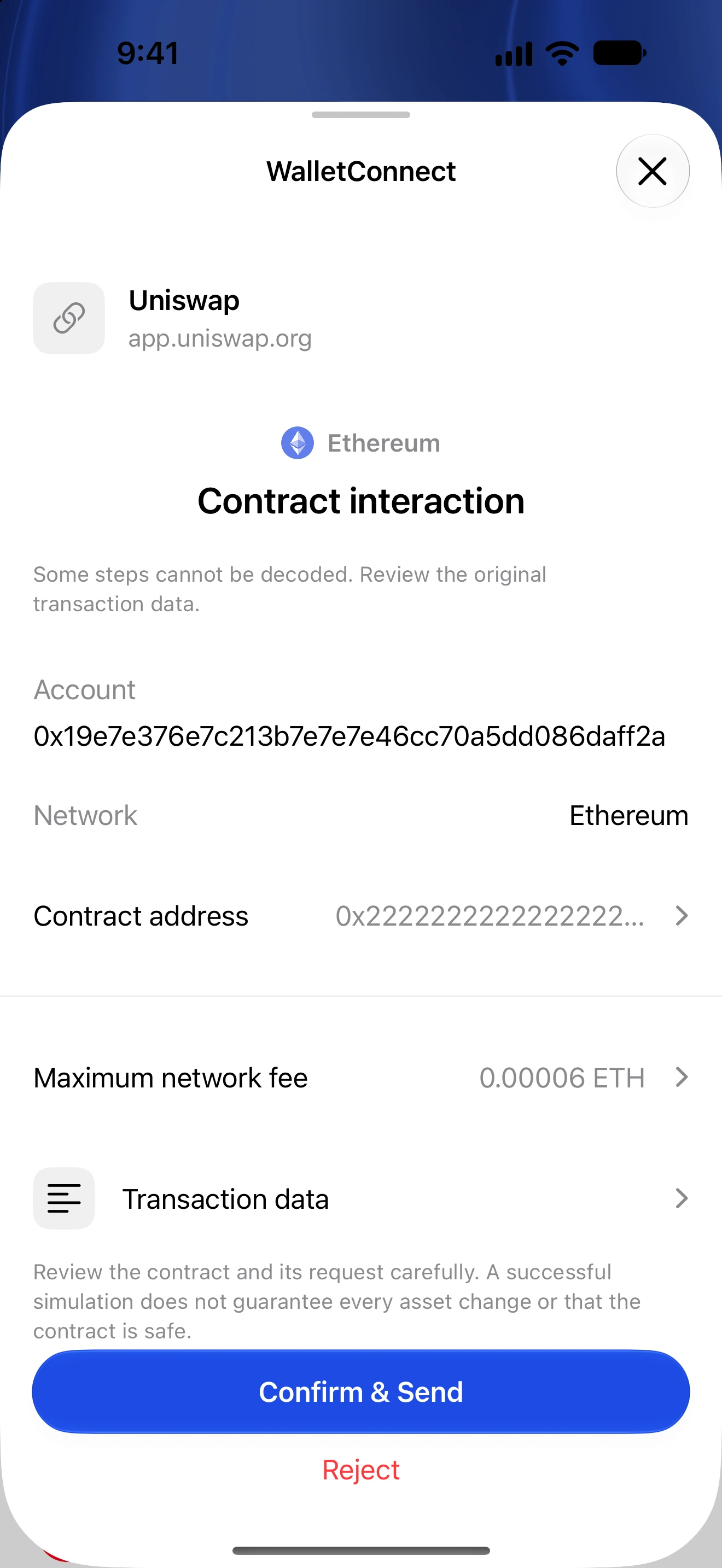
- On a transaction approval, check the network, account, destination contract and native value first.
- Open Transaction data.
- Read the recognized method and its fields: for example recipient, asset, spending limit, swap path or deadline.
- For a batch or router execution, inspect each decoded operation, including any optional or unknown operation.
- Use the technical/raw-data section when you need the exact selector or calldata. Do not approve simply because a method name looks familiar.
- Return to the review and confirm only after the decoded operation agrees with your intended action.
Decoding describes the submitted instructions; it does not certify a contract as safe or show every possible effect of its execution.
Token decimals are resolved for the exact asset. When reliable metadata is missing, exact raw units or addresses are safer than an invented name or amount.
Some complex or unsupported contracts cannot be completely decoded. Reject or independently verify those requests rather than assuming a generic label means a harmless transfer.
Follow along in Oath
Real app screens with illustrative demo data. No live funds were sent, swapped or revoked for these examples. Never send funds to an example address. Tap an image to inspect it at full size.