Review a token swap from a dApp
Understand which asset you pay, which asset you expect, and the network and limits you are authorizing.
Oath 4.0.3
dApp → Swap → Oath approval
How to do it
- Choose the input asset, output asset, amount and network in the dApp. Request its quote.
- When Oath opens, confirm the dApp origin, selected wallet/account and network.
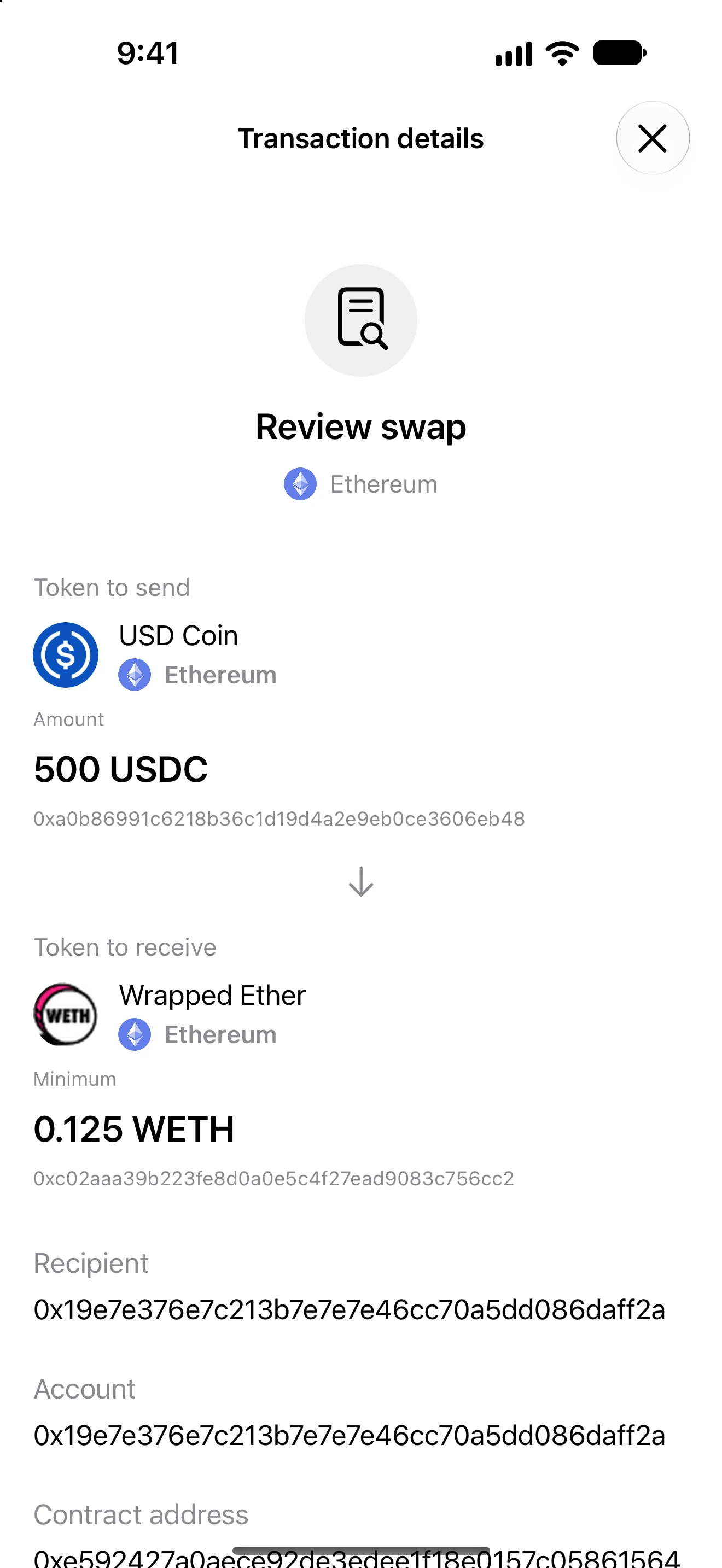
- Read the input and output assets using their full identities. Check whether an amount is exact, a maximum input or a minimum output.
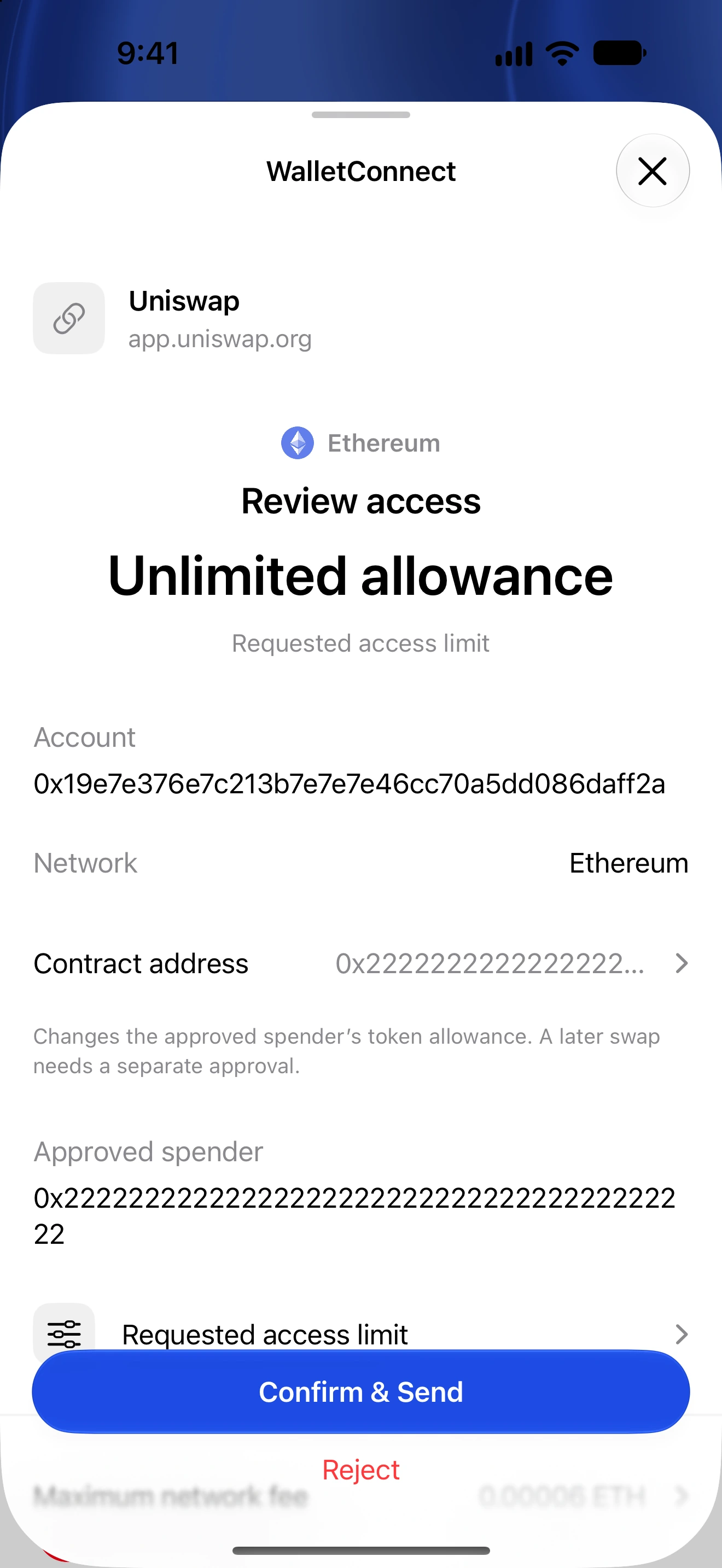
- Review the recipient, native-coin value, network fee and deadline when shown. A token approval or Permit2 signature may arrive as a separate request before the swap.
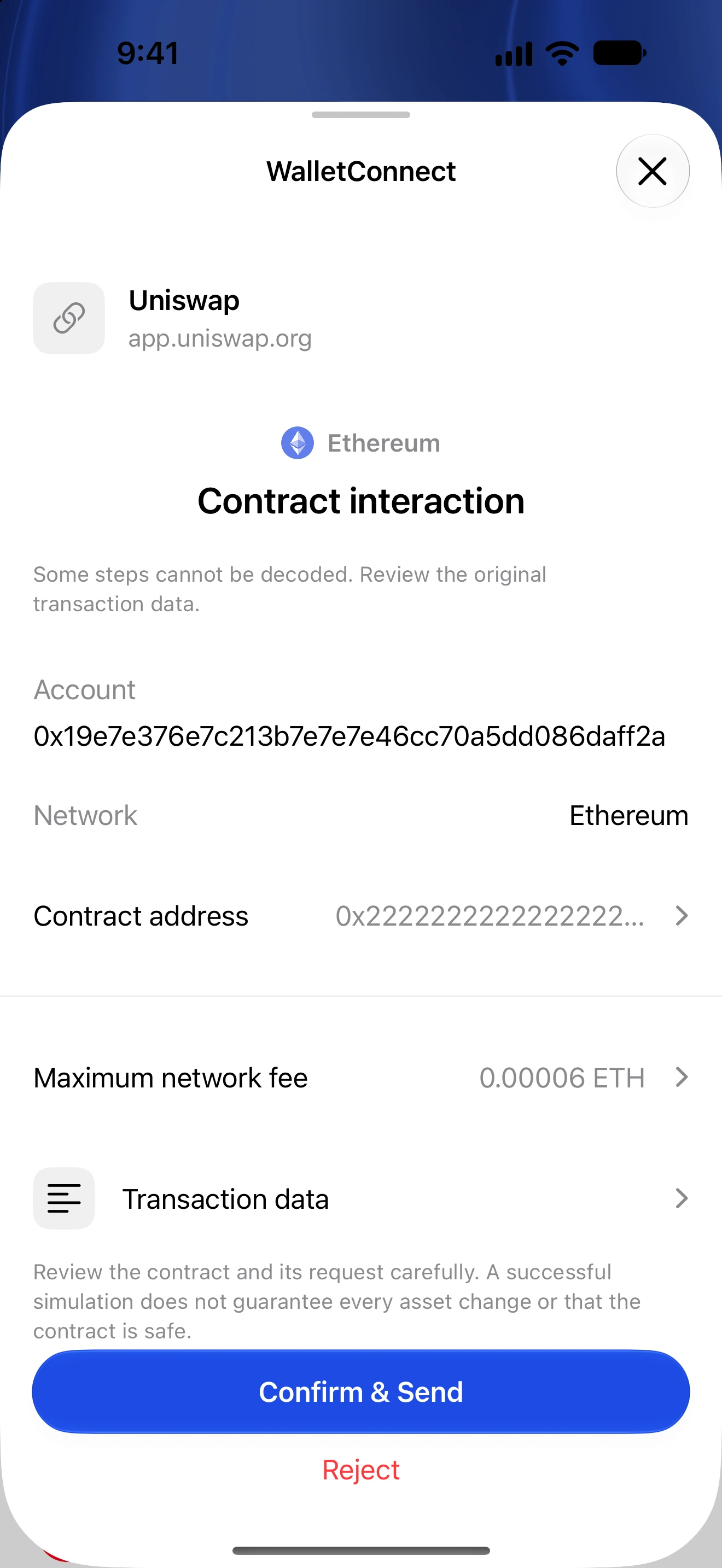
- Open Transaction data for readable operations and the original technical data. If an unfamiliar call cannot be explained, reject it until you can verify its purpose.
- Confirm and authenticate only the request you intended. Return to the dApp for any remaining step, then verify the actual transaction outcome.
For recognized router methods Oath displays readable swap bounds and routing operations. Native wrapping/unwrapping is only summarized when the route supports that interpretation.
A quote or simulation is not a guaranteed settlement price. Slippage, price movement, expiry and contract conditions can cause a swap to fail.
Unknown routers, commands or metadata remain explicitly unknown or technical. A safe review must not invent an output token or interpret every arbitrary contract call as a swap.
Follow along in Oath
Real app screens with illustrative demo data. No live funds were sent, swapped or revoked for these examples. Never send funds to an example address. Tap an image to inspect it at full size.