Review messages, sign-ins and token permits
Tell a login challenge apart from a message, token approval or spending authorization.
Oath 4.0.3
WalletConnect request → review
How to do it
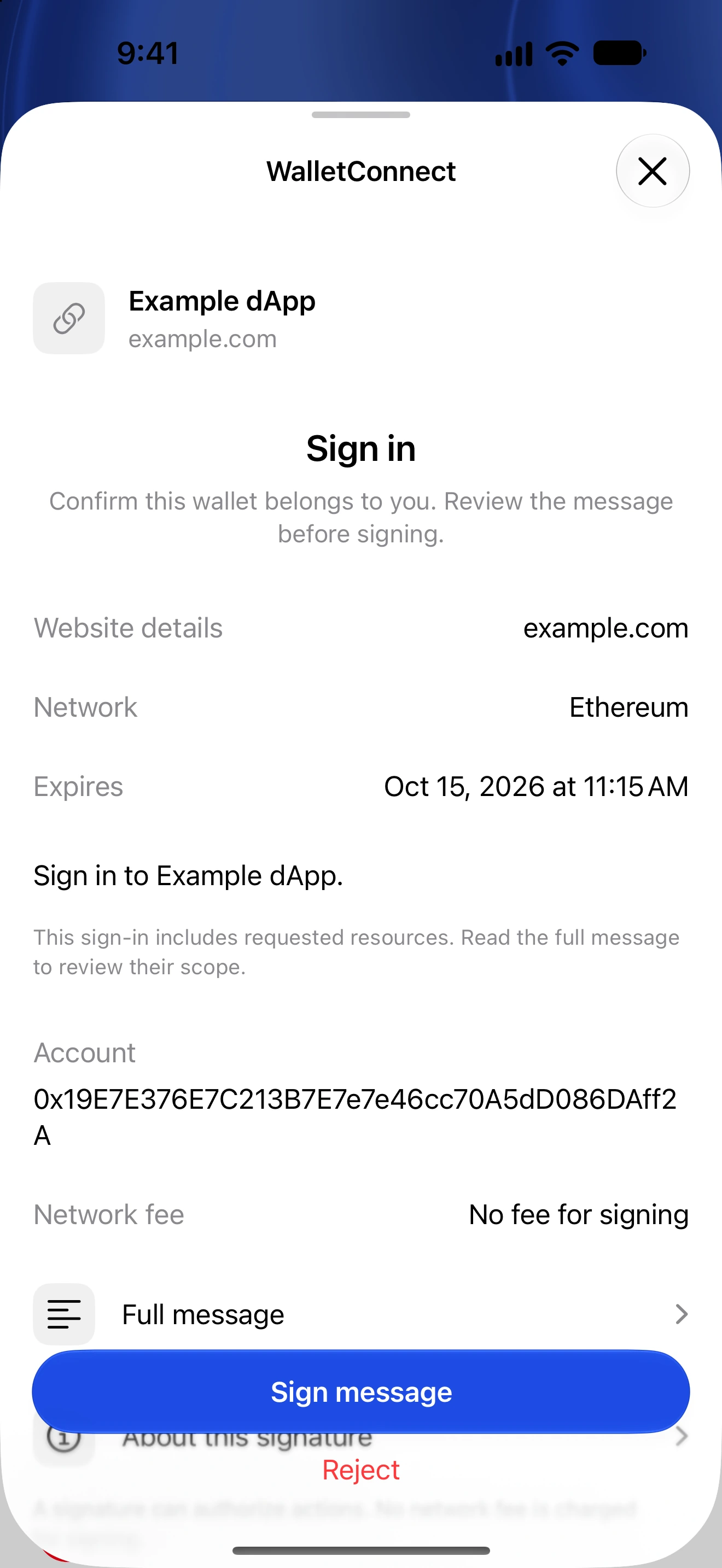
- Check which website requested the signature and why you expect it now.
- Read the full message or structured fields. For sign-in, compare the domain, address and any expiry or nonce details.
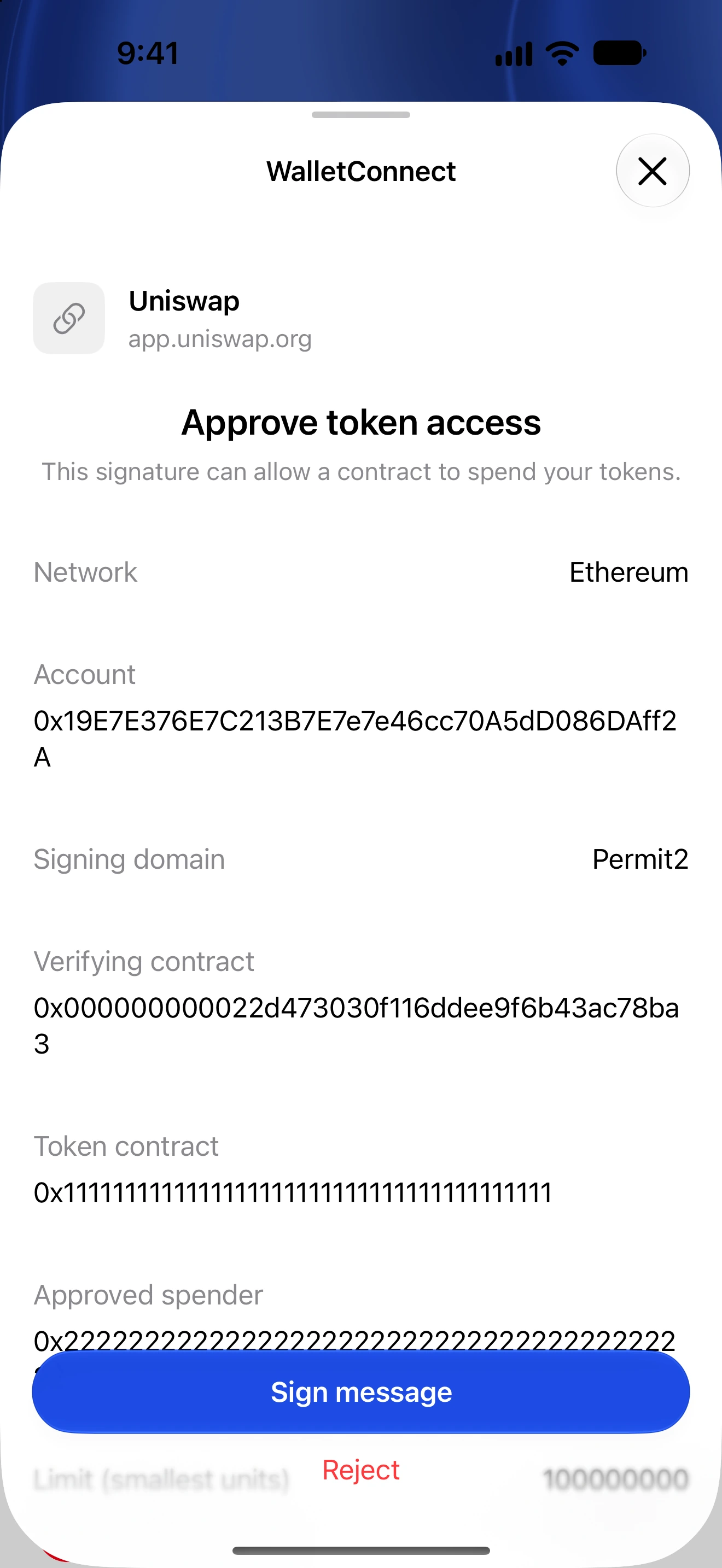
- For an approval or permit, inspect the token, spender, amount/limit, chain and deadline rather than treating it as a login.
- If an editable approval limit is offered, choose only the allowance you intend and review the resulting request.
- Reject unreadable, unexpected or unsupported requests. Authenticate only when the requested authorization makes sense.
- After signing, return to the dApp. Manage any resulting on-chain allowance in Permissions.
A message signature may have no immediate network fee but can still authorize an action. Permit signatures can grant spending rights when submitted later.
Signing a transaction and broadcasting it are distinct. A dApp can ask for signed bytes and submit them itself; the absence of an immediate History entry does not mean the signature is harmless.
A signature cannot generally be recalled by disconnecting the session. Available nonce invalidation and revocation mechanisms depend on the exact permission.
Follow along in Oath
Real app screens with illustrative demo data. No live funds were sent, swapped or revoked for these examples. Never send funds to an example address. Tap an image to inspect it at full size.