Connect a dApp with WalletConnect
Approve the intended website, wallet and networks before responding to a dApp request.
Oath 4.0.3
dApp → Connect wallet → WalletConnect → Oath
How to do it
- Open the dApp from a trusted address and choose WalletConnect in its wallet connection options.
- On another screen, scan its WalletConnect QR using Oath’s Home scanner. On the same device, choose the Oath link offered by the dApp.
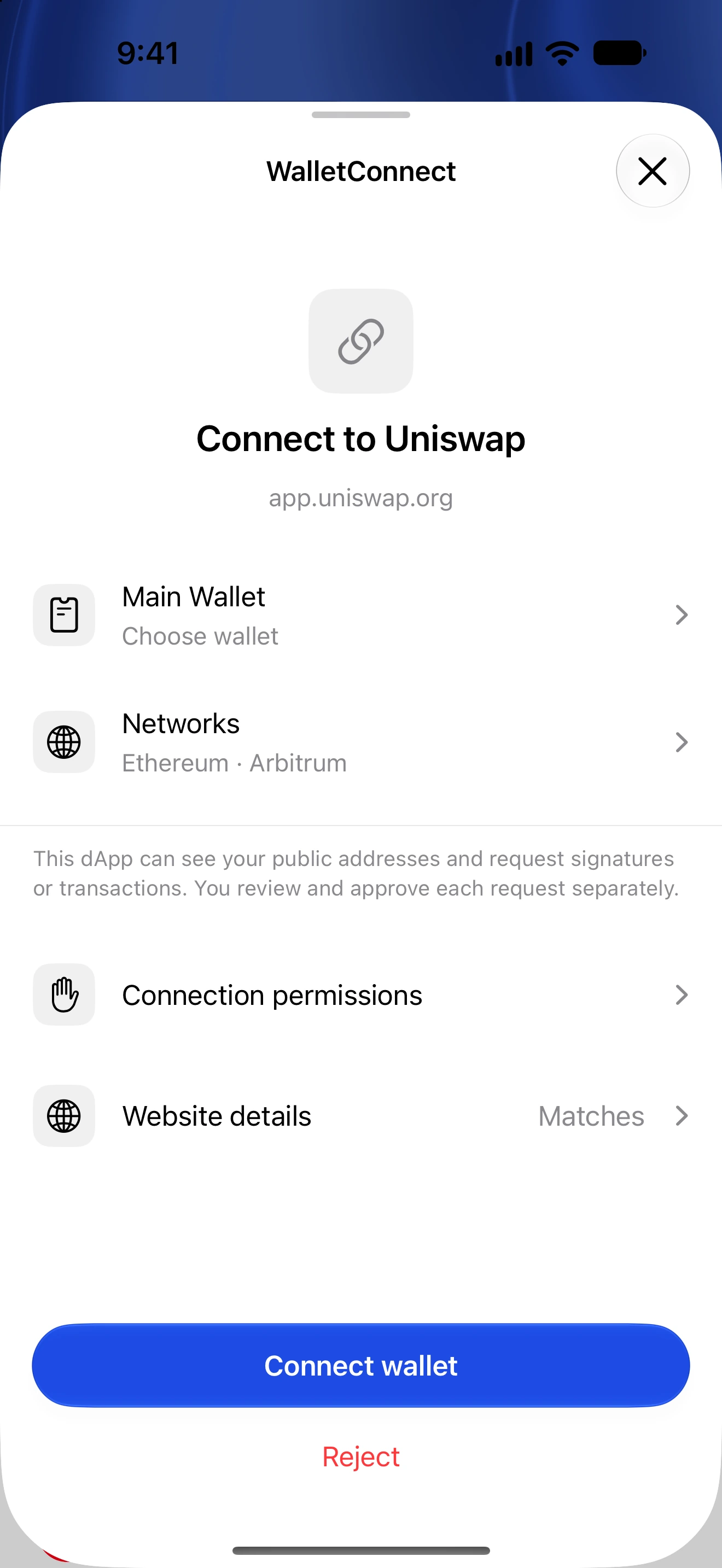
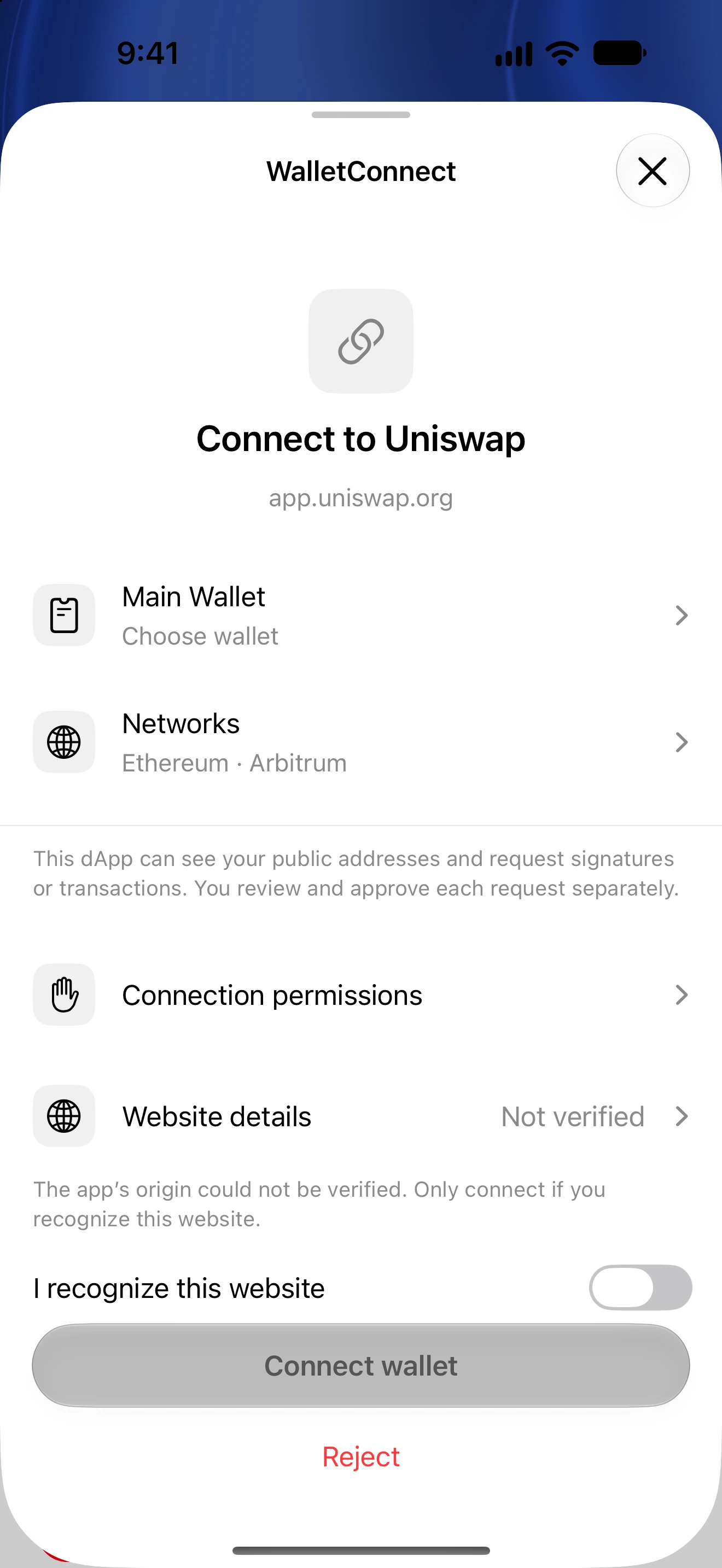
- Unlock Oath if asked. Read the connection proposal’s website identity and any verification warning.
- Choose the intended wallet and approve only the networks you need. Review the methods being requested.
- Connect, then return to the dApp. A connection shares the approved public accounts; it does not approve every future signature or transfer.
- Review each later request independently. Manage the connection in Settings → WalletConnect or Permissions → Connected DApps.
WalletConnect support depends on the namespace and request method. Oath supports EVM, THORChain and Solana request flows within their implemented limits; it does not imply every network in the portfolio supports every dApp.
A familiar name or icon can be copied. Compare the website origin and reject unexpected, blocked or unverified requests when you cannot establish why they appeared.
Pairing requests expire. If the proposal is no longer usable, start a fresh connection from the dApp instead of reusing an old QR.
Follow along in Oath
Real app screens with illustrative demo data. No live funds were sent, swapped or revoked for these examples. Never send funds to an example address. Tap an image to inspect it at full size.