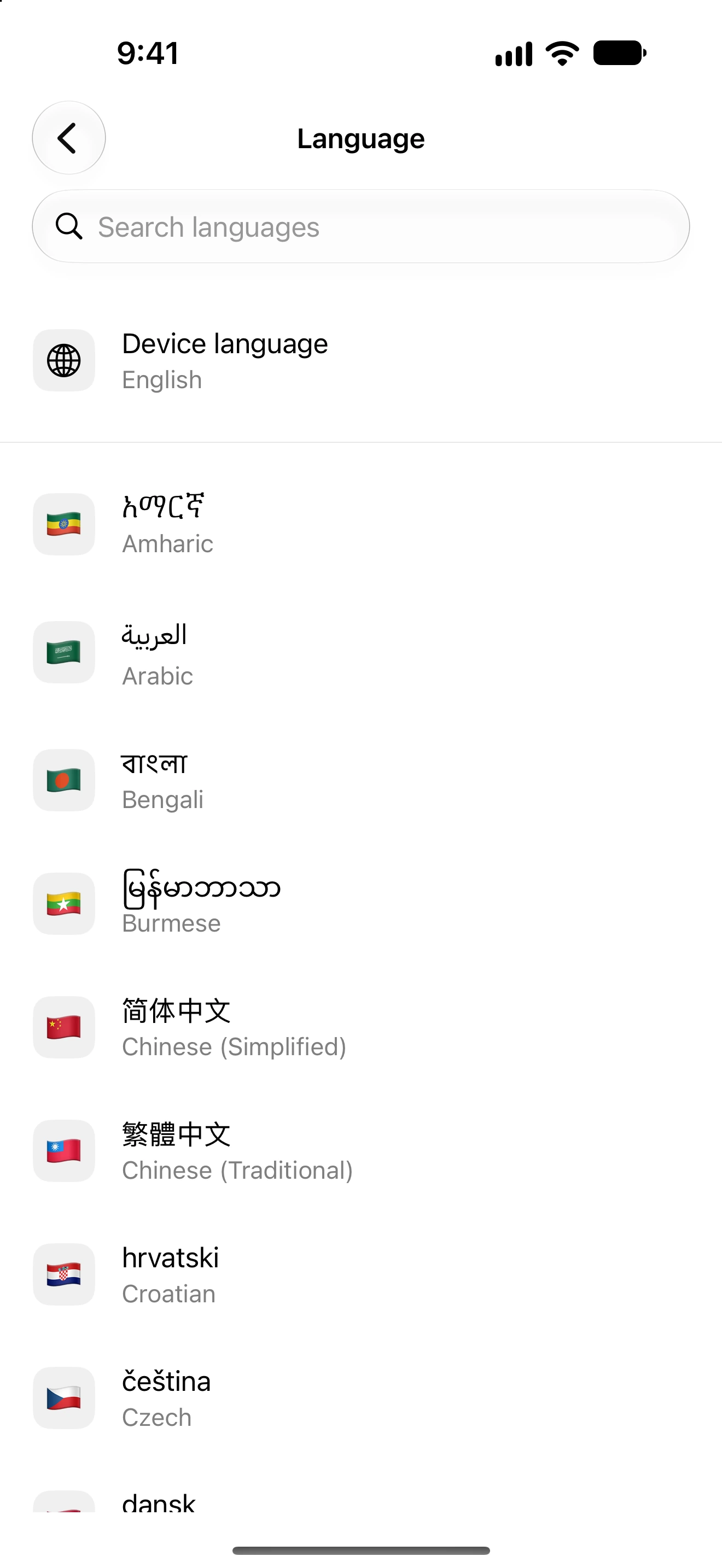
Change the app language
Choose an available language for Oath’s interface.
Guide checked for Oath 5.1.2 (112).
Settings → Language
How to do it
- Open Language from Settings. A language option is also available during welcome setup.
- Search for a language if needed.
- Select it and return to the app.
- For right-to-left languages, navigation and reading direction adapt to the language.
Changing the language localizes interface labels. Canonical network names, token symbols, addresses and transaction IDs remain identifiers rather than translated assets.
Right-to-left layout can move controls, but the action names and full addresses remain the basis for checking a transaction.
Return to the relevant screen to confirm the setting or saved entry. Canceling an edit should not be treated as an applied change.
Follow along in Oath
Real app screens with illustrative demo data from historical captures. Current release: Oath 5.1.2 (112); appearance and available options may differ from the images. No live funds were sent, swapped or revoked for these examples. Never send funds to an example address. Tap an image to inspect it at full size.