Revoke several permissions
Select a group of permissions, review the batch and check each result independently.
Oath 4.0.3
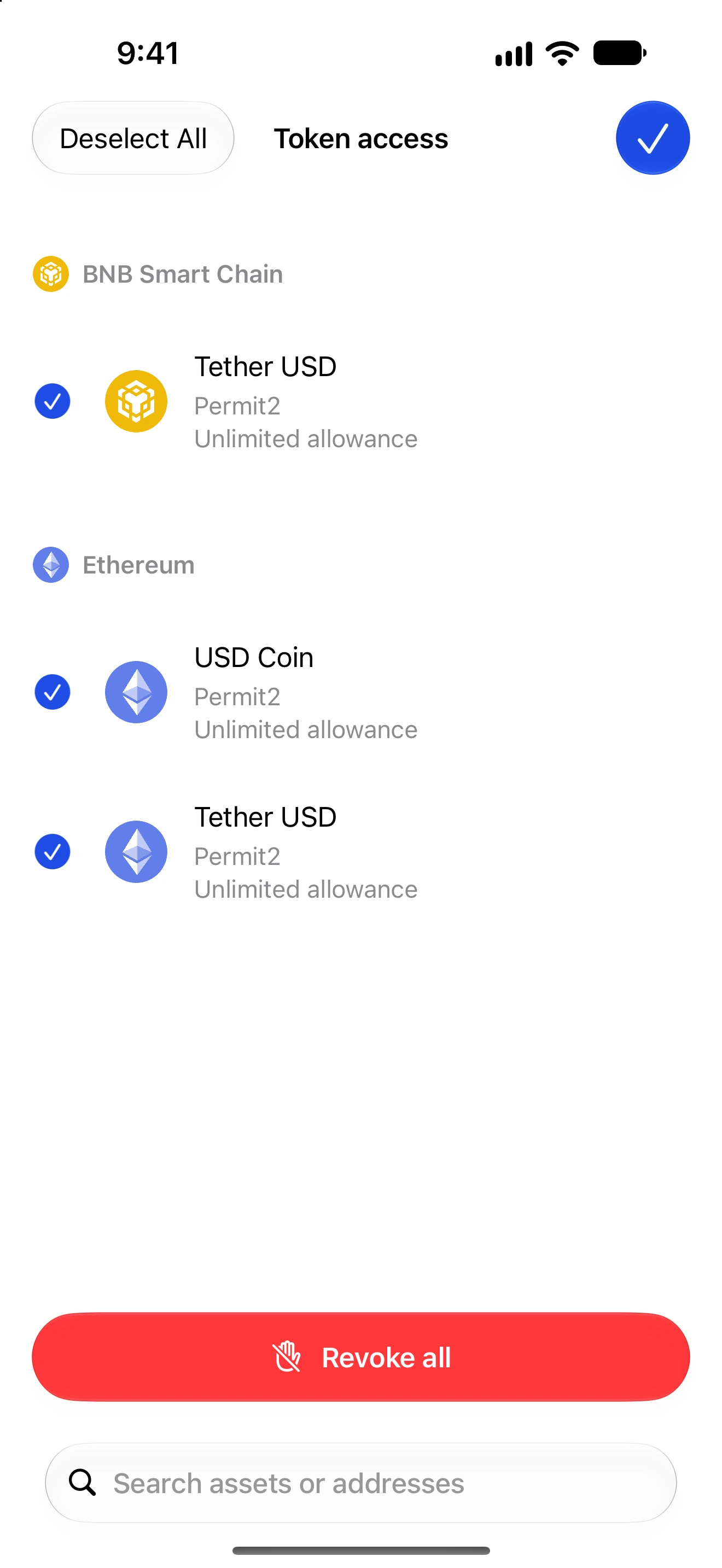
Permissions → Token access or Collectible access → filter menu → Select
How to do it
- Open the access list for the wallet you intend to protect.
- Use the filter menu to enter Select mode. Tap rows, Select All or Deselect All; review the visible network groups and selection count.
- Tap Revoke All in the native bottom toolbar. This refers to your selected removable items, not every possible permission on every chain.
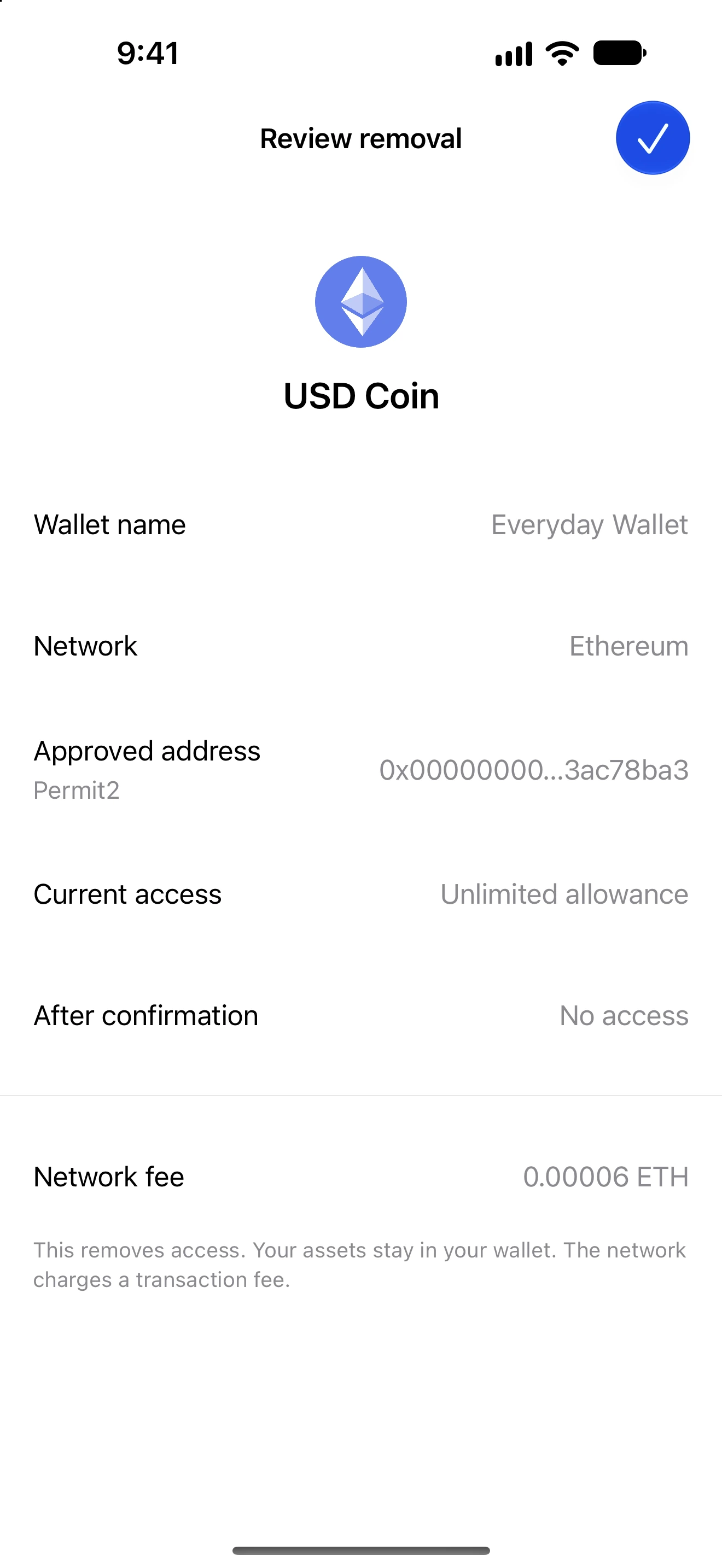
- Review the batch, including network fees and items that cannot currently be prepared. Confirm only the permissions you intend to remove.
- Authenticate when requested. You may continue using the app while the queue processes supported items; one failed item does not prevent later items from being attempted.
- Open Recent changes. Check confirmed, pending and failed results individually, then correct failures and retry only the outstanding items.
Each network can require its own transaction and fee. A batch is not a single atomic transaction and may finish with mixed results.
The queue can continue while the app is usable, but iOS can suspend background execution. Reopen and unlock Oath to resume when required; do not assume it runs indefinitely after closing the app.
Refresh coverage after completion. A request to revoke all selected entries does not discover previously unknown approvals or cancel arbitrary off-chain signatures.
Follow along in Oath
Real app screens with illustrative demo data. No live funds were sent, swapped or revoked for these examples. Never send funds to an example address. Tap an image to inspect it at full size.