Revoke a token allowance or delegate
Remove a supported permission and verify that access is actually gone on-chain.
Oath 4.0.3
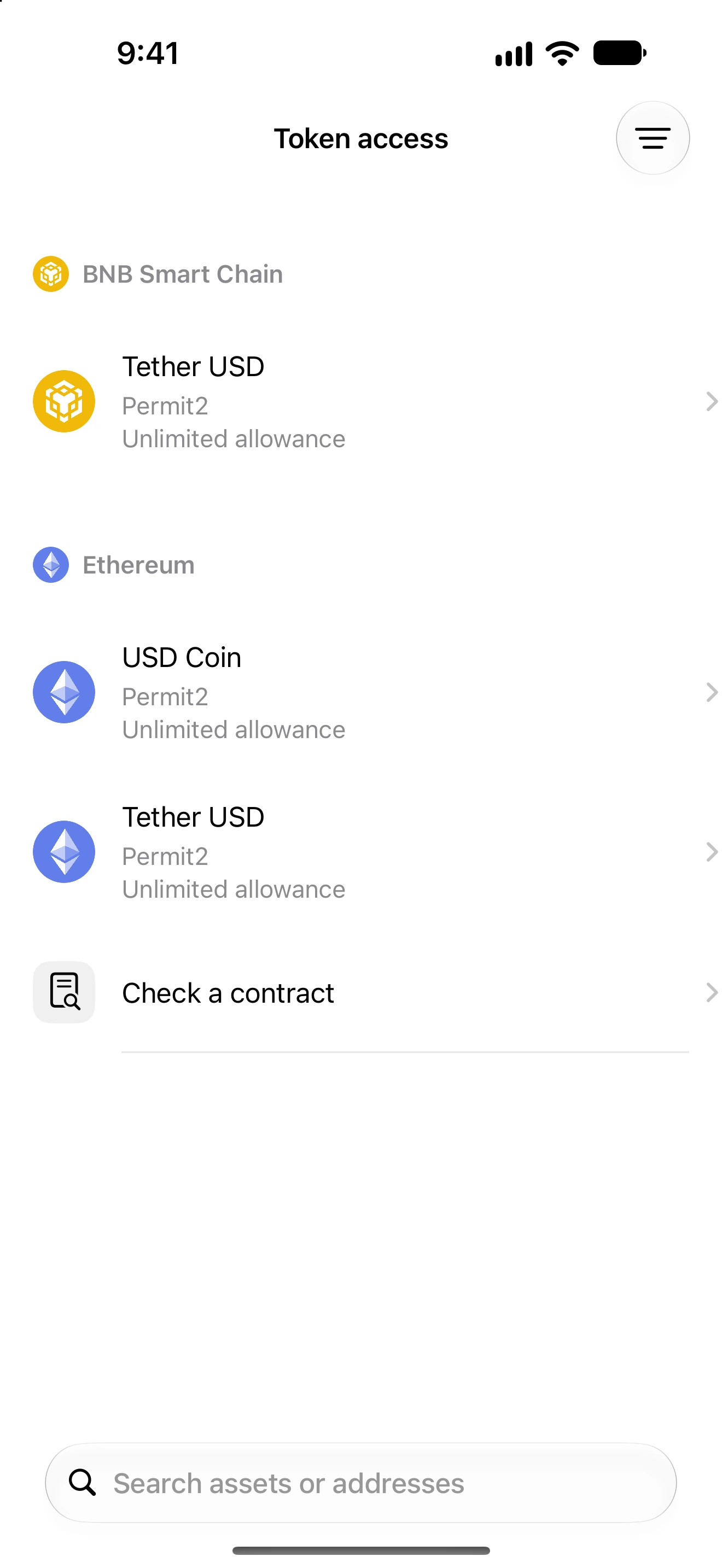
Settings → Permissions → Token access
How to do it
- Select the intended wallet in Permissions and wait for the scan.
- Open Token access and locate the exact asset under its network heading. Compare the approved spender or delegate.
- Swipe a removable row or open its detail and choose the removal action.
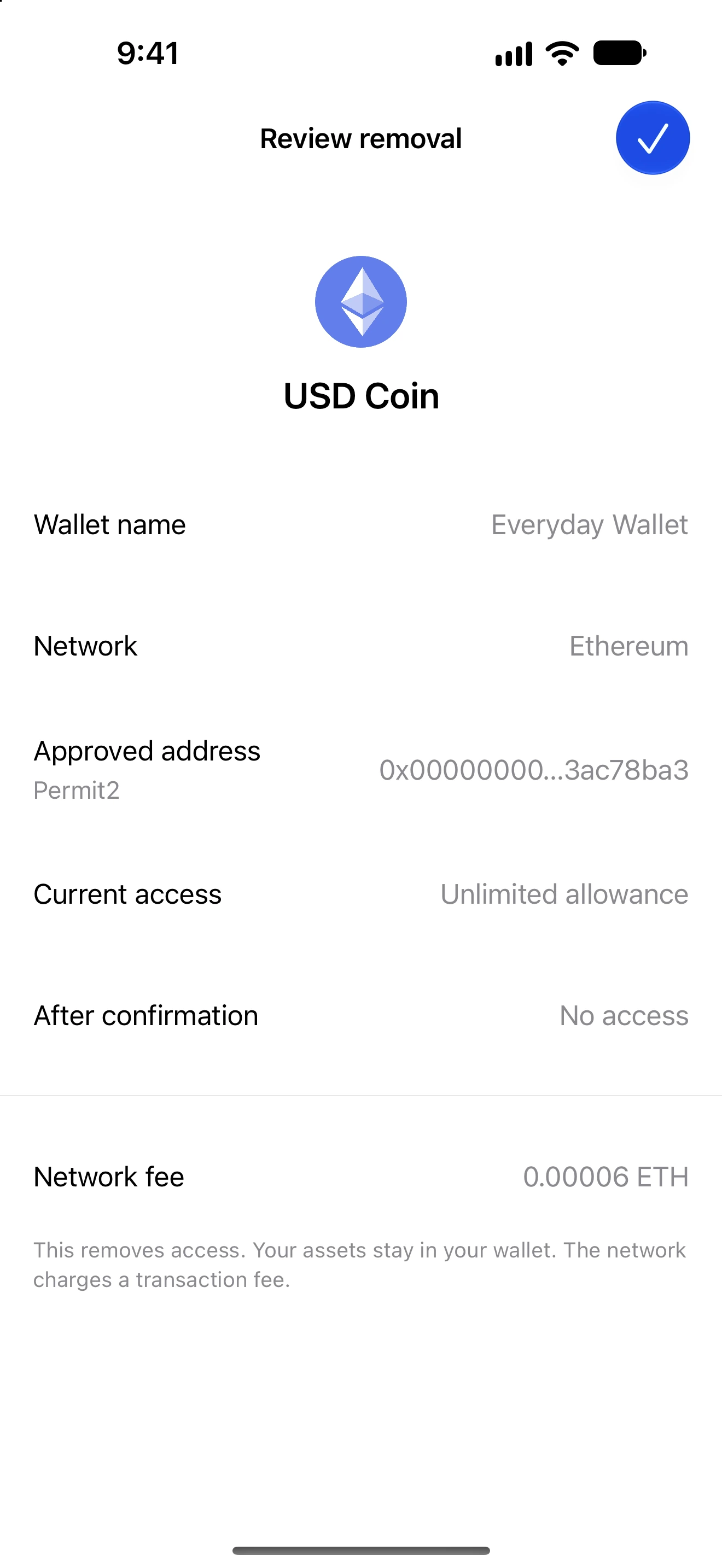
- Review the wallet, network, approved address, access being removed and fee. Keep the relevant network fee coin available.
- Confirm and authenticate when requested. Follow the pending result without resubmitting the same removal unnecessarily.
- Open Recent changes and refresh the permission scan. Treat access as removed only after its result is verified.
Removal uses the permission type’s supported instruction: for example an EVM/TRON allowance reset or a Solana token-account delegate revocation.
A transaction can confirm yet fail to remove the expected access if state changed or the contract behaves differently. Oath checks the resulting permission rather than relying only on a transaction hash.
An NFT collection approval, token allowance, account-control delegation and permanent token delegate have different scopes. Not every row can be revoked by the current account.
Follow along in Oath
Real app screens with illustrative demo data. No live funds were sent, swapped or revoked for these examples. Never send funds to an example address. Tap an image to inspect it at full size.