Use Solana dApps and test networks
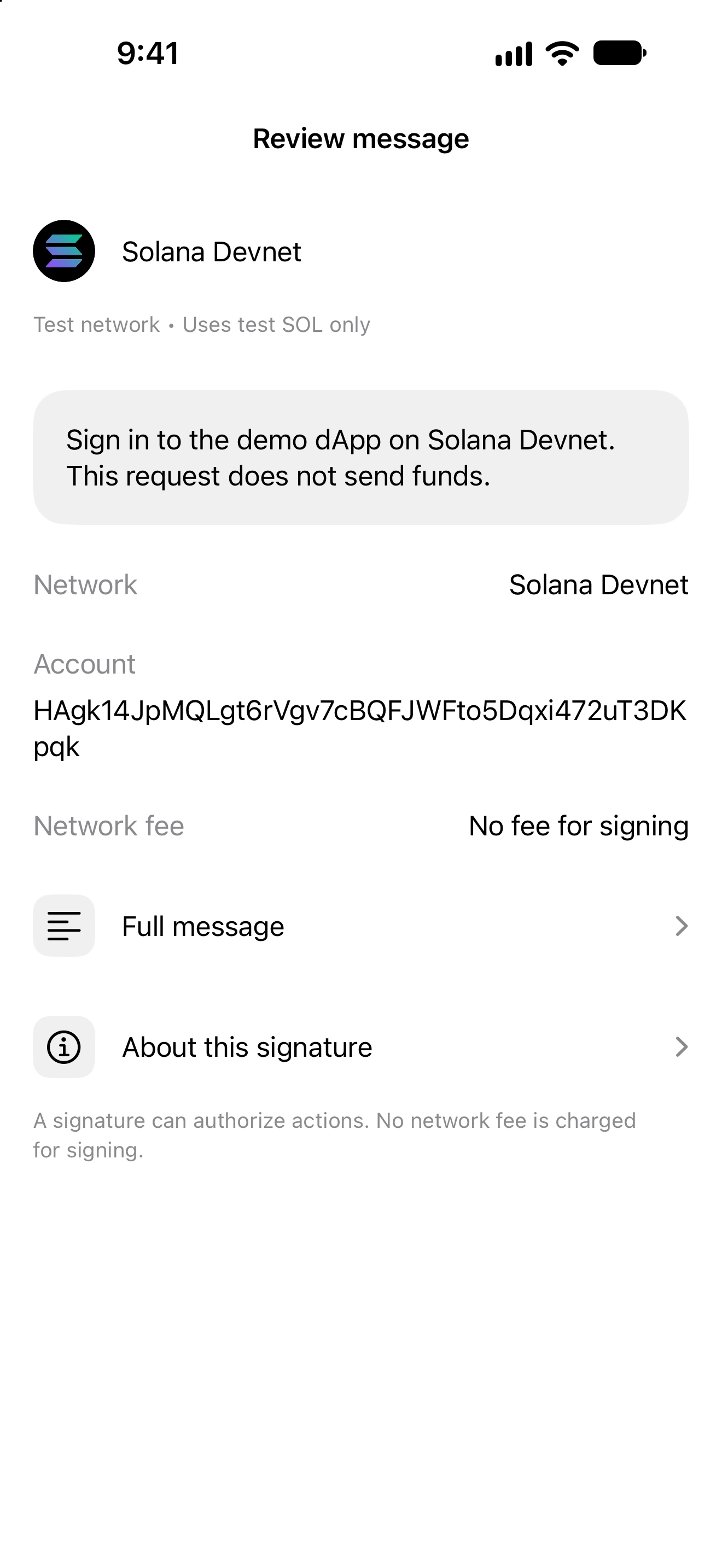
Review Solana requests on the exact mainnet, Devnet or Testnet cluster approved for the session.
Oath 4.0.3
Solana dApp → WalletConnect → Oath
How to do it
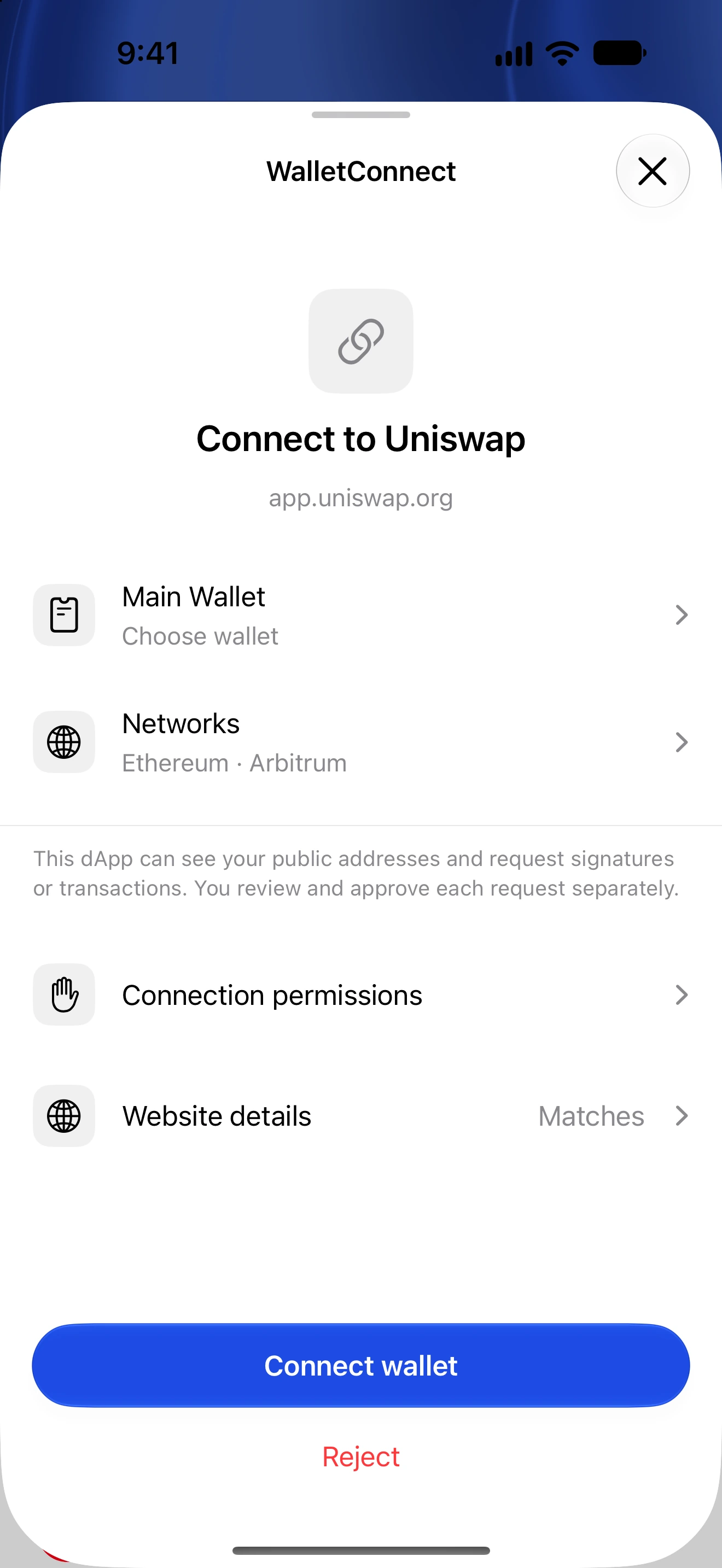
- In the dApp, choose the Solana cluster you intend to use and connect with WalletConnect.
- Approve the requested cluster in Oath and verify the selected wallet/account. Devnet and Testnet are separate networks from mainnet.
- When a request arrives, read its network, fee payer, fee and simulated SOL or token balance changes.
- Inspect mint identities and invoked programs, particularly when a token name is unavailable or inspection is incomplete.
- For a signing-only request, understand that the dApp receives a signed transaction. For sign-and-send, follow the pending result until confirmation or failure.
- When testing, use only test-cluster assets and check the corresponding explorer. Test-cluster submissions do not become mainnet balances or mainnet history.
The selected Solana derivation must match the account requested by the dApp. Switching accounts can invalidate a pending review.
Supported flows include readable message signing, legacy and version-0 transaction signing, supported transaction batches and sign-and-send. Unknown cluster aliases, unsupported versions and durable-nonce transactions are not silently converted to mainnet.
A batch is not a guarantee of atomic execution. Transactions that depend on an earlier batch member can fail independent simulation; Oath does not blindly approve them.
Follow along in Oath
Real app screens with illustrative demo data. No live funds were sent, swapped or revoked for these examples. Never send funds to an example address. Tap an image to inspect it at full size.