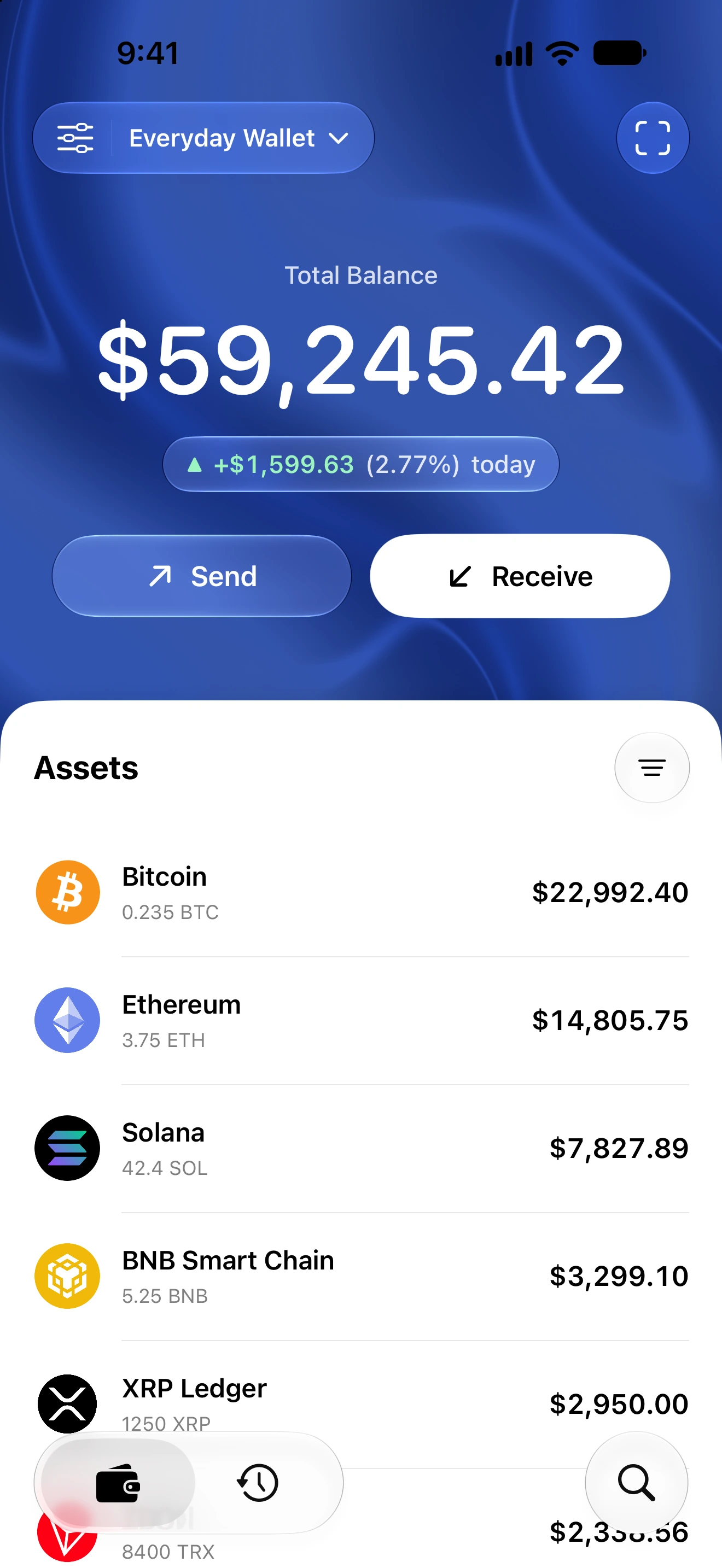
How assets are sorted
The list prioritizes portfolio value instead of alphabetical order alone.
Guide checked for Oath 5.1.2 (112).
Home → Assets
How to do it
- Look near the top for assets with the highest available local-currency value.
- Assets with equal values are ordered by transaction activity, then name and a stable tie-break.
- Use search to find a low-value or zero-value asset quickly.
- Refresh to update the values used in ordering.
Quantity, market price, logo and transaction history are separate data. An unavailable quote or delayed provider response does not by itself establish that an asset balance is zero.
Price availability can change the ordering: an asset without a usable quote may not sit beside similarly valuable priced assets. Sorting is not a safety or authenticity rating.
Use the active filters and Search to find assets intentionally; an asset moving down the list does not mean it was sold or removed.
Follow along in Oath
Real app screens with illustrative demo data from historical captures. Current release: Oath 5.1.2 (112); appearance and available options may differ from the images. No live funds were sent, swapped or revoked for these examples. Never send funds to an example address. Tap an image to inspect it at full size.