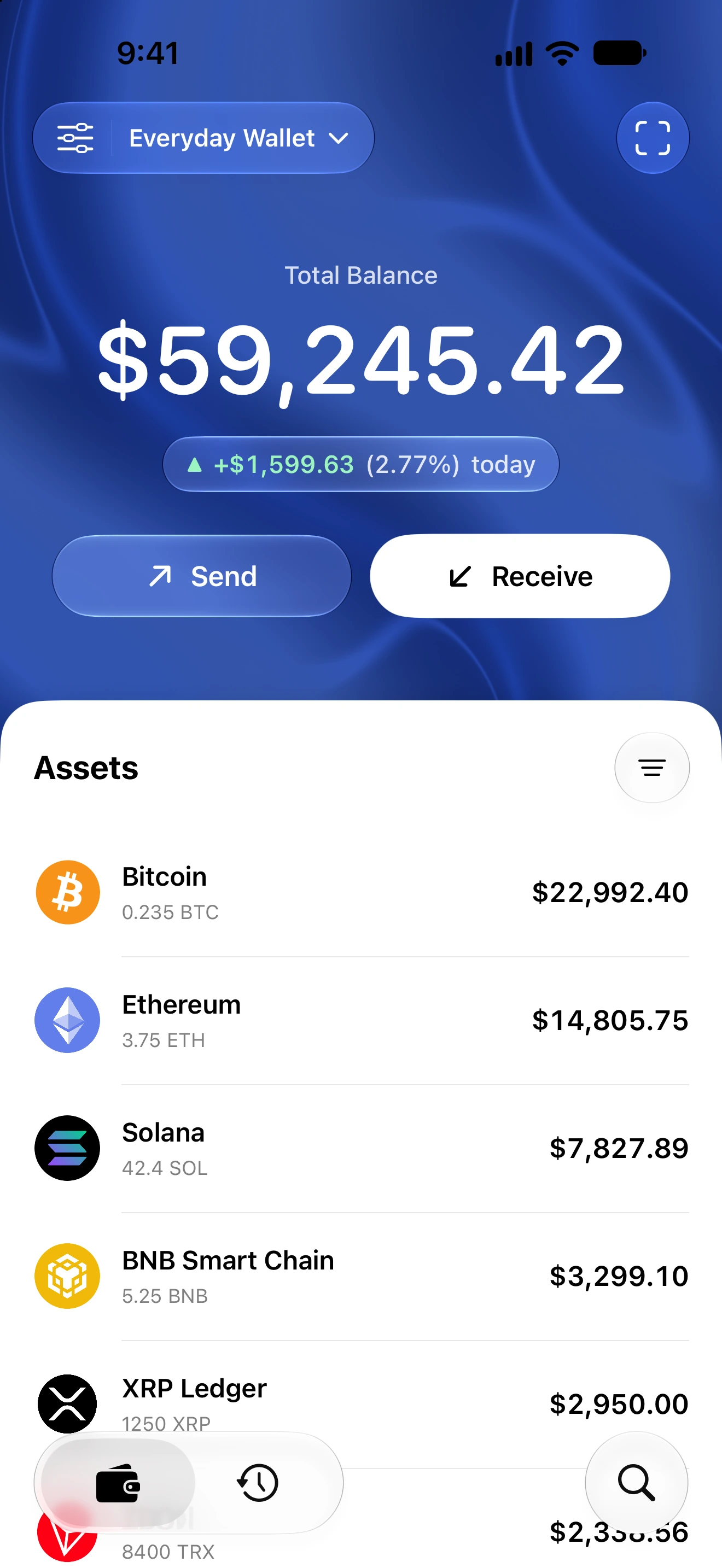
Understand balances and portfolio value
Oath shows token quantities and a local-currency valuation.
Guide checked for Oath 5.1.2 (112).
Home → total balance and Assets
How to do it
- Read the total at the top for the active wallet’s available valuation.
- In each row, read the native quantity under the asset name and the local-currency amount on the opposite side.
- Open an asset for a closer view.
- If a value looks stale, refresh and compare the exact account and network in an explorer.
The smaller quantity underneath an asset name is measured in that coin or token, such as BTC or USDT. The value on the opposite side is its conversion into the selected display currency.
The app may shorten a very long quantity to keep list rows readable. Open the asset or its public explorer to inspect more detail; display formatting does not change the balance.
Wallet-list values use available saved balances and market data. A total does not include a reliable valuation for an asset when a required price or exchange rate is missing.
Follow along in Oath
Real app screens with illustrative demo data from historical captures. Current release: Oath 5.1.2 (112); appearance and available options may differ from the images. No live funds were sent, swapped or revoked for these examples. Never send funds to an example address. Tap an image to inspect it at full size.