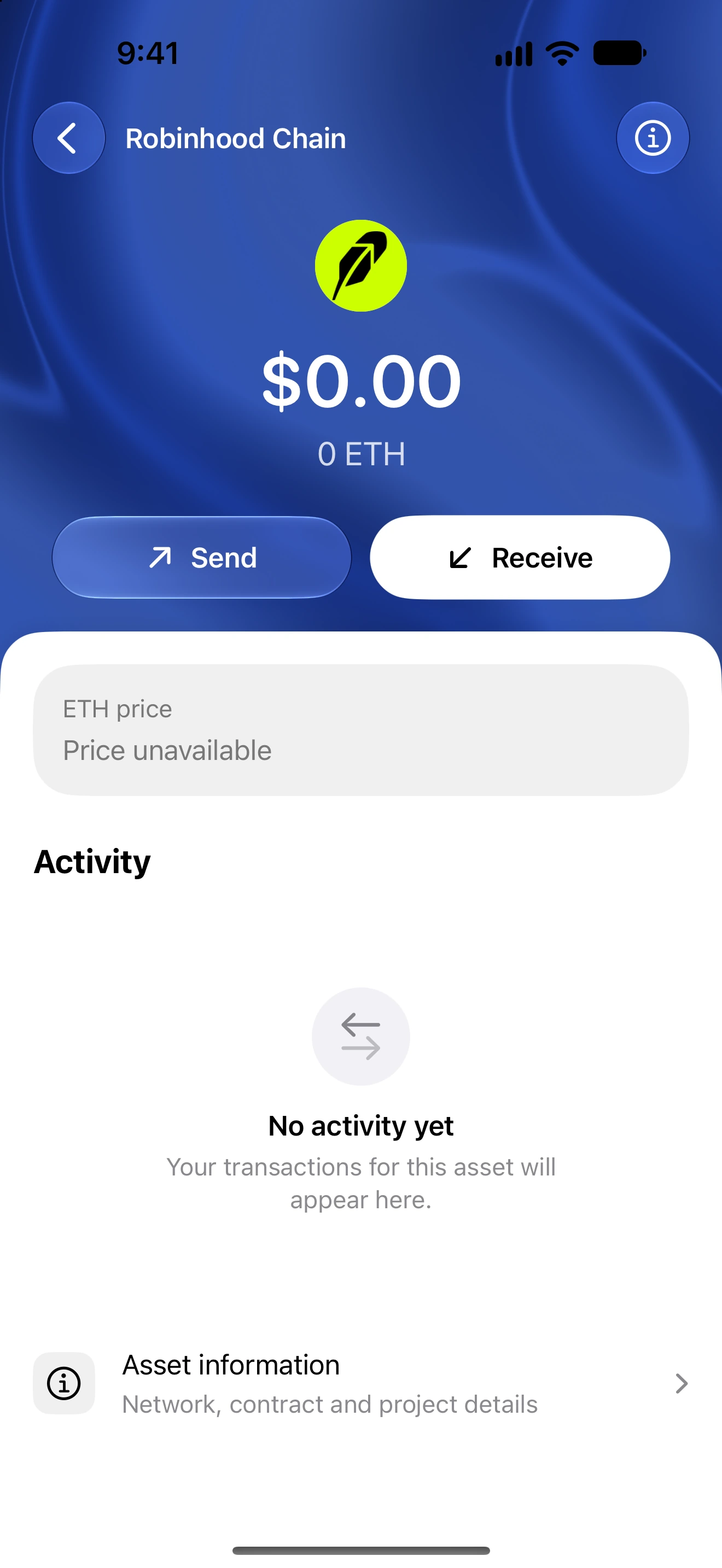
Use Robinhood Chain
Find the Robinhood Chain account separately from an exchange account or other EVM networks.
Guide checked for Oath 5.1.2 (112).
Home → Robinhood Chain
How to do it
- Select Wallet, then Search, and look for Robinhood Chain and open it.
- Use Receive to find the wallet’s public address on this network.
- Review native and supported token activity from the appropriate asset screen.
- Open a transaction’s explorer link if you need to check a result independently.
Quantity, market price, logo and transaction history are separate data. An unavailable quote or delayed provider response does not by itself establish that an asset balance is zero.
Check the chain identity in the asset information and receiving flow. This account is an on-chain wallet account, not a brokerage login or a link to a centralized account.
Use the network’s native fee asset for supported transfers and review the fee before confirming.
If a token or history entry is missing, compare the public explorer result and retry discovery. Native balance success alone does not prove complete token or history coverage.
Follow along in Oath
Real app screens with illustrative demo data from historical captures. Current release: Oath 5.1.2 (112); appearance and available options may differ from the images. No live funds were sent, swapped or revoked for these examples. Never send funds to an example address. Tap an image to inspect it at full size.