Send coins and tokens
Choose the right wallet, network, recipient and amount, then review and authorize a transfer.
Guide checked for Oath 5.1.2 (112).
Home → Send → asset → recipient → amount → review
How to do it
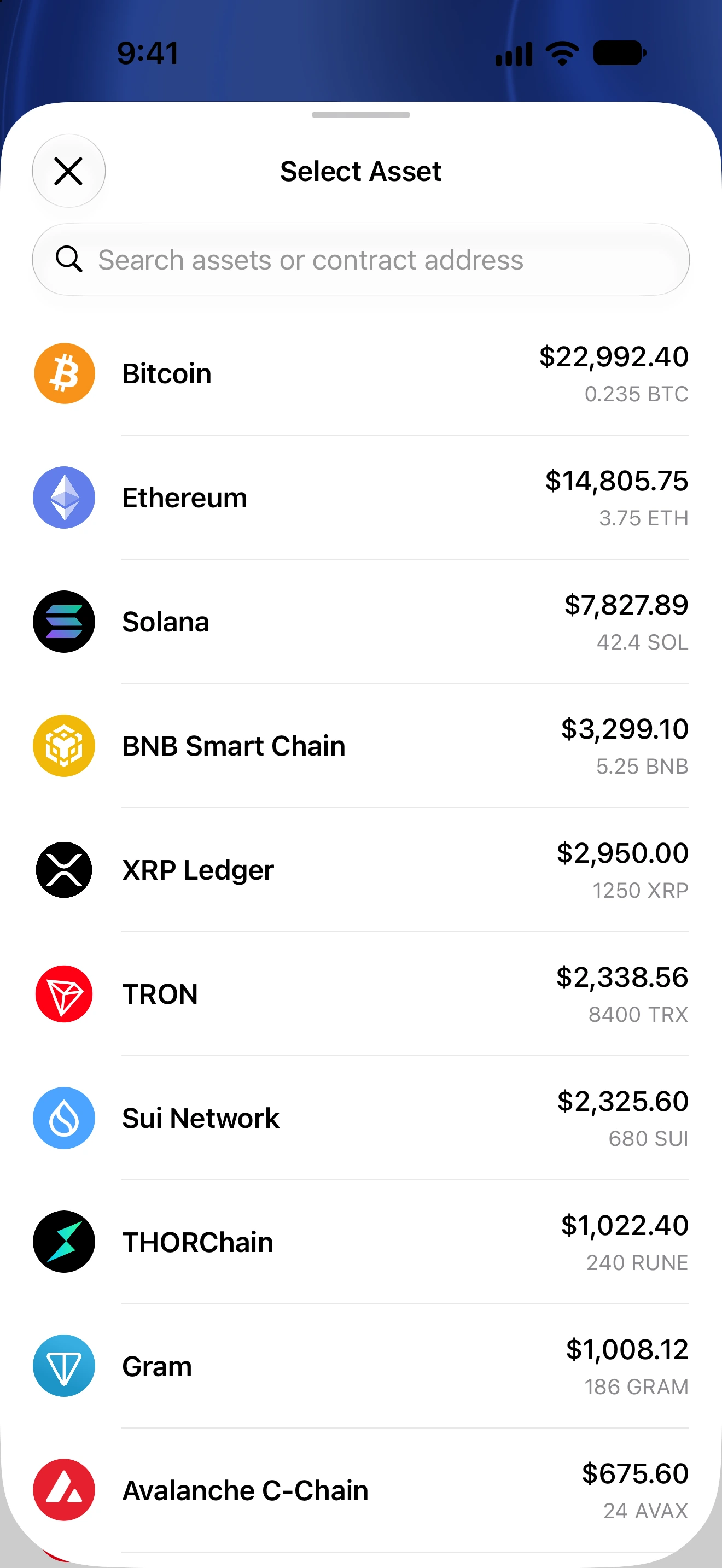
- Check the active wallet on Home. Tap Send and choose the exact coin or token; the same ticker can exist on different networks.
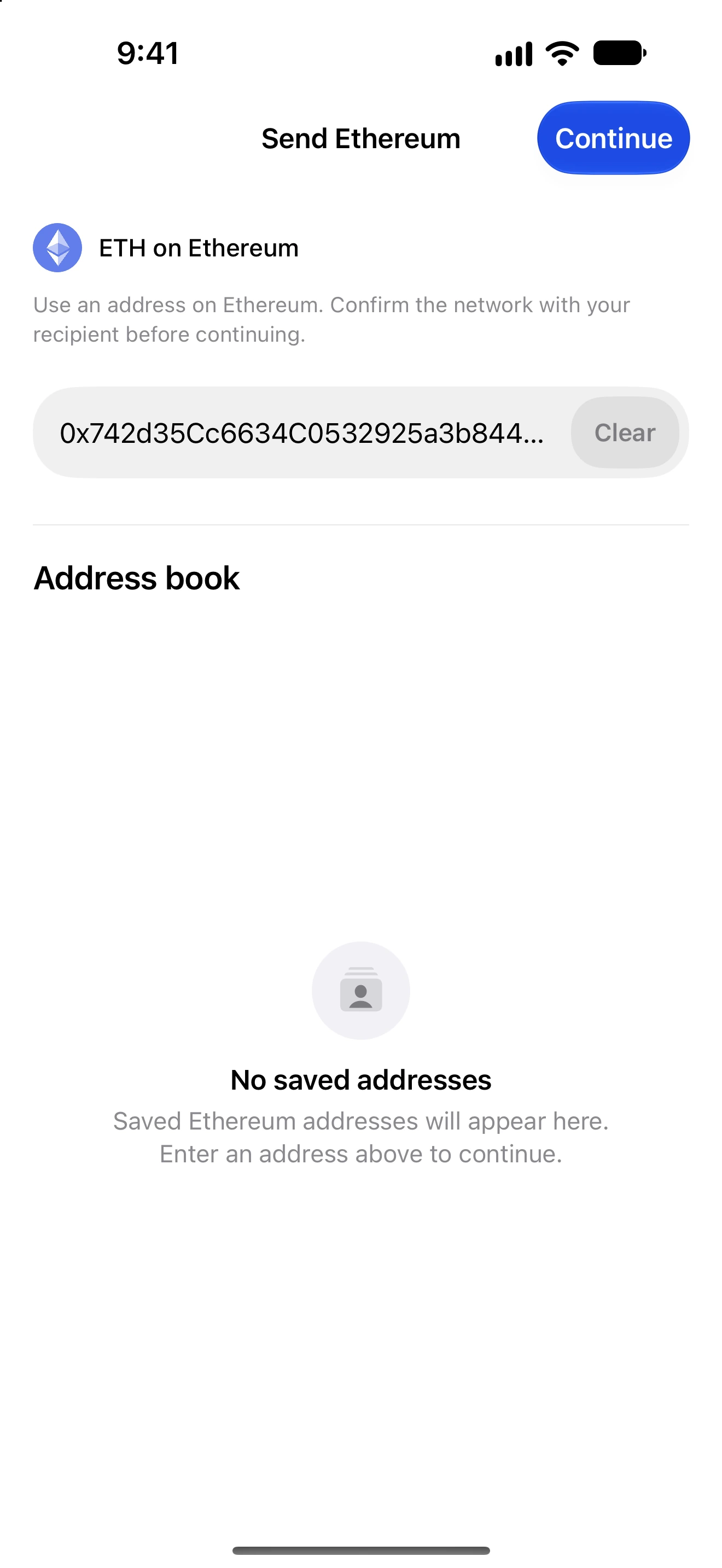
- Paste or scan the recipient address, or choose a saved contact. Compare the complete address and network with the recipient’s instructions.
- Enter a destination tag or memo when the recipient requires one. Continue only after any address or memo validation is resolved.
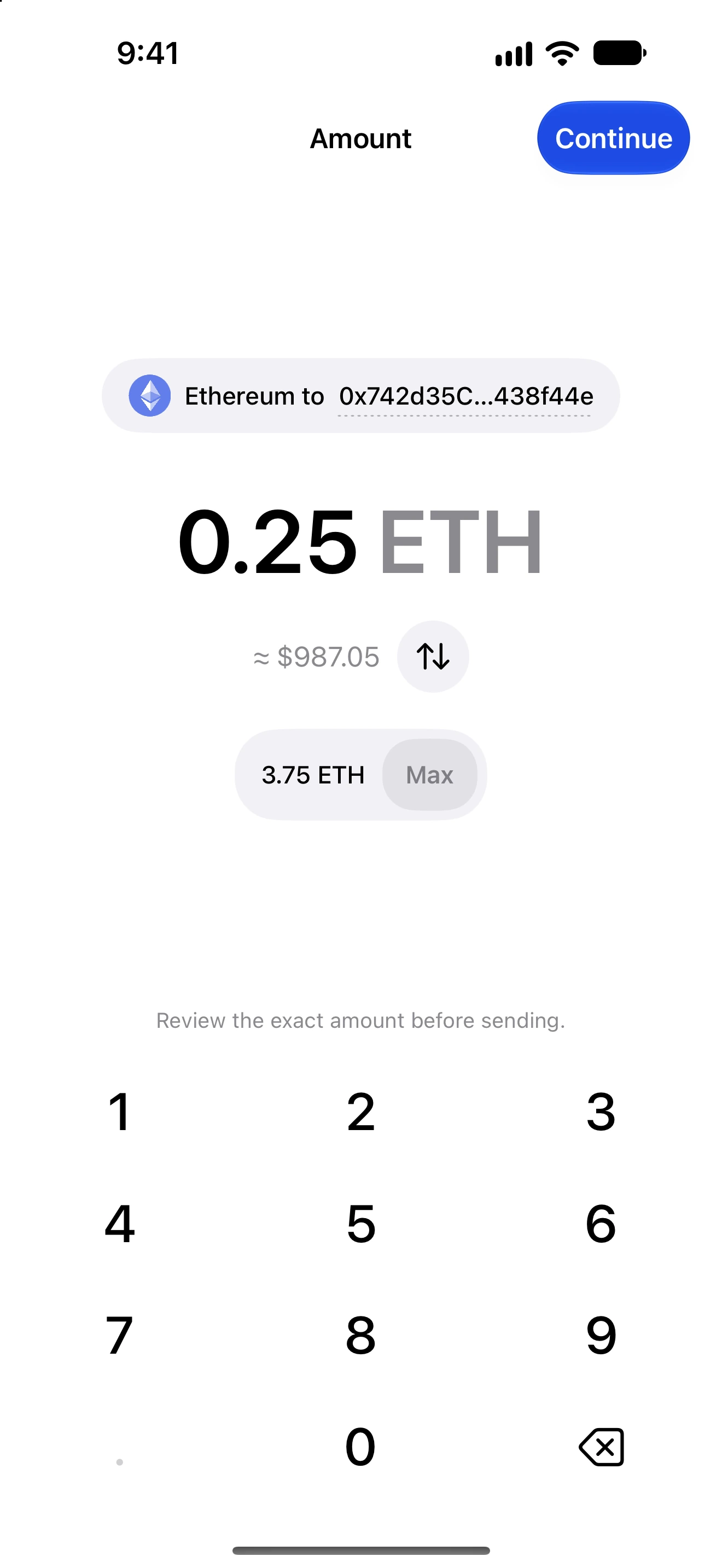
- Enter the amount in asset units, or switch to local currency when a usable price is available. Max leaves room for the applicable fees and reserves.
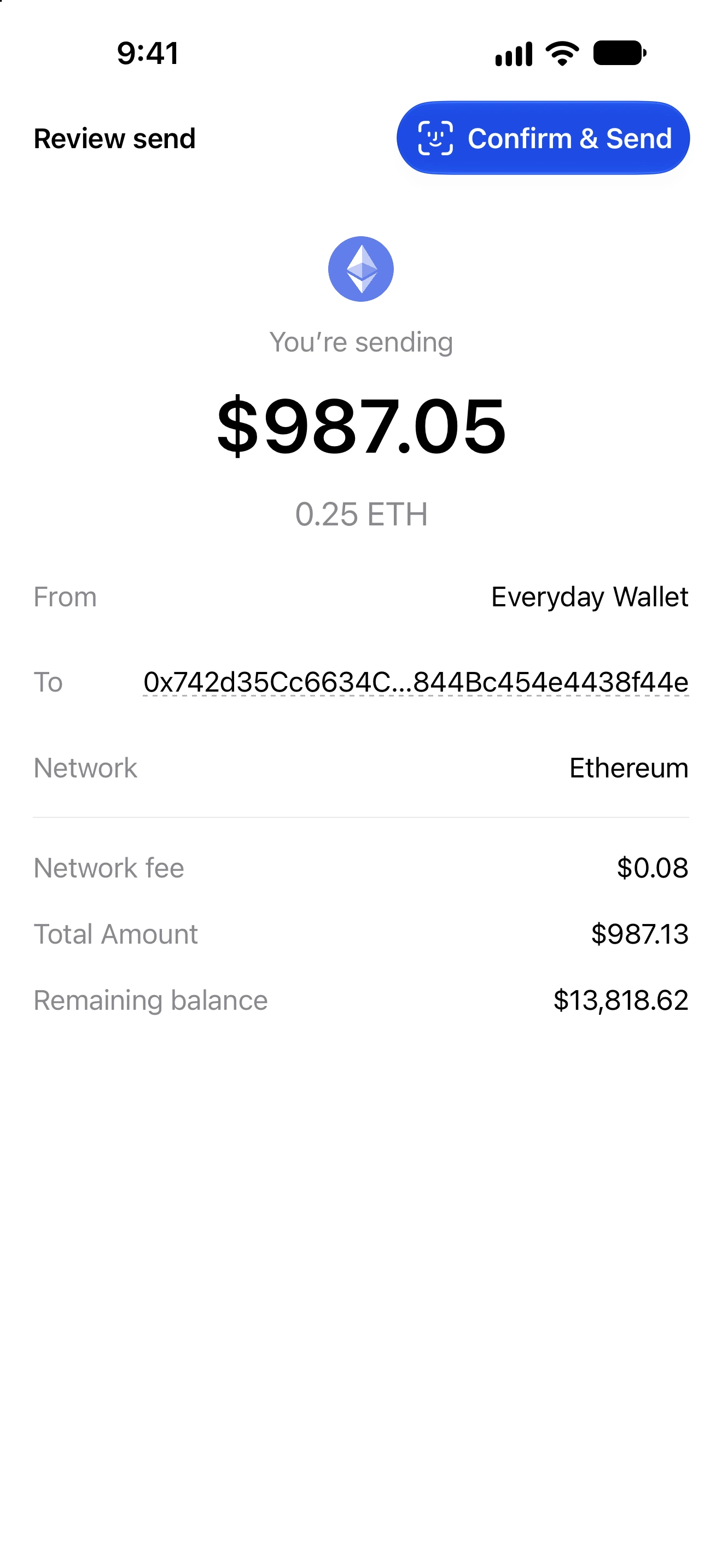
- Continue to review. Check the wallet, network, asset, recipient, amount and maximum network fee. Read any activation, reserve or token-registration guidance.
- Confirm and authenticate when requested. Keep the result open until Oath reports a submission or an error; a review screen alone does not send funds.
- Open the resulting transaction in History. Use its status and explorer record to distinguish pending from confirmed. If a response is uncertain, check the existing transaction before trying another transfer.
Sending is available for supported assets on Bitcoin-family networks, EVM networks, TRON, Solana, Gram, Aptos, Sui, NEAR, XRP Ledger, Stellar and THORChain. The selected asset’s flow determines what is supported; a discoverable token is not a guarantee that every unusual token standard can be sent.
The displayed local-currency amount is an estimate. The quantity in asset units is what the transfer spends. Fee estimates and spendable balances may change during review, so Oath can require you to review again.
Insufficient gas, an invalid recipient, a locked wallet or a failed network check can prevent submission. Correct the specific issue and review again. Never treat an error as proof that an earlier uncertain submission cannot have reached the network.
Follow along in Oath
Real app screens with illustrative demo data from historical captures. Current release: Oath 5.1.2 (112); appearance and available options may differ from the images. No live funds were sent, swapped or revoked for these examples. Never send funds to an example address. Tap an image to inspect it at full size.